> ## Documentation Index
> Fetch the complete documentation index at: https://docs.trycrust.ai/llms.txt
> Use this file to discover all available pages before exploring further.
# Key Concepts
> This page introduces the fundamental building blocks and mechanisms within Crust AI that you'll interact with when creating and sharing your data snippets.
## What is a Snippet?
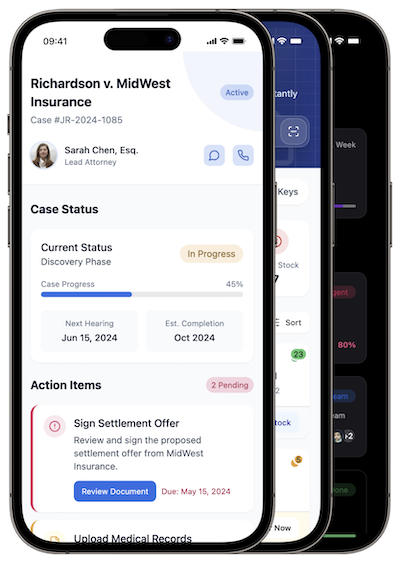
At its core, a **Snippet** is an AI-generated, visually interactive mini-application that represents a specific view of your data. Think of it as creating a custom-built, live webpage or small app directly from one of your data source tables.
 ## The Power of Snippets
Unlike sharing a raw Airtable/Notion view or exporting data, a **Snippet** provides a curated, branded experience for the end-user. It's designed to be simple for them to consume and interact with, focusing only on the information you choose to share.
* **Live Syncing:** Snippets stay live-synced with your data source. Changes in your data source automatically reflect in the Snippet.
* **Two-way Updates:** If you enable interactive elements, changes made via the Snippet can write back to your data source in real-time.
* **Device Friendly:** Optimized for viewing on any device - mobile, tablet, or desktop.
* **Secure Access:** Control exactly what data is visible and who can see or edit it.
## Snippet Types
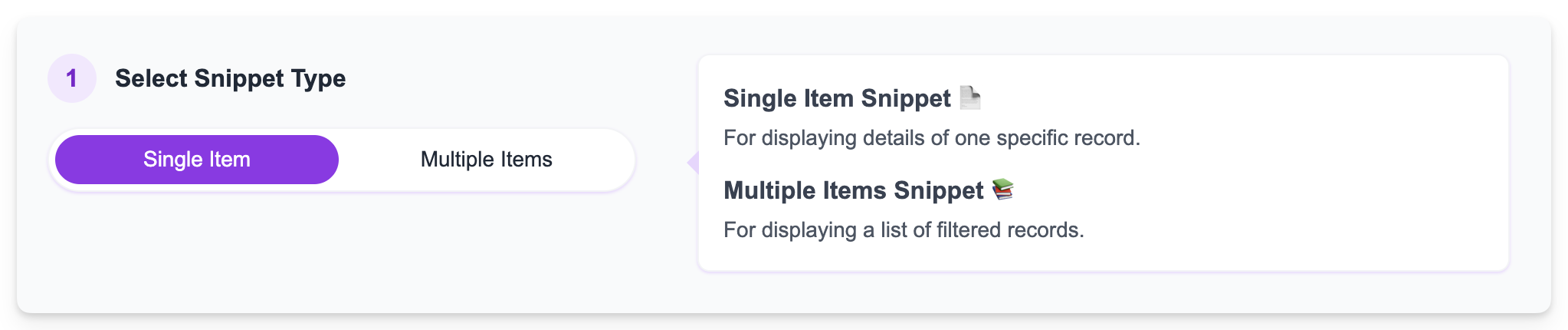
When you create a new snippet, [you must choose its fundamental type](/chapters/building-and-understanding-snippets/understanding-snippet-types), which dictates how the data from your selected table will be presented:
| Type | Focus | Views | Ideal Use Cases |
| :----------------- | :------------ | :--------------------- | :-------------------------------------------------------------------------------------------------- |
| **Single Item** | One record | Detail View | Customer profiles, Project details, Product specs, Event info, Property listings |
| **Multiple Items** | Filtered list | List View, Detail View | Task lists, Property portfolios, Client‑specific matters, Inventory collections, Project dashboards |
## The Power of Snippets
Unlike sharing a raw Airtable/Notion view or exporting data, a **Snippet** provides a curated, branded experience for the end-user. It's designed to be simple for them to consume and interact with, focusing only on the information you choose to share.
* **Live Syncing:** Snippets stay live-synced with your data source. Changes in your data source automatically reflect in the Snippet.
* **Two-way Updates:** If you enable interactive elements, changes made via the Snippet can write back to your data source in real-time.
* **Device Friendly:** Optimized for viewing on any device - mobile, tablet, or desktop.
* **Secure Access:** Control exactly what data is visible and who can see or edit it.
## Snippet Types
When you create a new snippet, [you must choose its fundamental type](/chapters/building-and-understanding-snippets/understanding-snippet-types), which dictates how the data from your selected table will be presented:
| Type | Focus | Views | Ideal Use Cases |
| :----------------- | :------------ | :--------------------- | :-------------------------------------------------------------------------------------------------- |
| **Single Item** | One record | Detail View | Customer profiles, Project details, Product specs, Event info, Property listings |
| **Multiple Items** | Filtered list | List View, Detail View | Task lists, Property portfolios, Client‑specific matters, Inventory collections, Project dashboards |
 ```mermaid theme={null}
graph TD
A[Multiple Items Snippet] --> B[List View]
B -->|User selects an item| C[Detail View]
C -->|User goes back| B
D[Single Item Snippet] --> E[Detail View Only]
```
```mermaid theme={null}
graph TD
A[Multiple Items Snippet] --> B[List View]
B -->|User selects an item| C[Detail View]
C -->|User goes back| B
D[Single Item Snippet] --> E[Detail View Only]
```